Now add some magic!
- Jul 4, 2020
- 2 min read
Updated: Jul 5, 2020
That is how I explain to everyone why I use Photoshop or Lightroom. I just love to create some different perspective or add some extra touch to the photos in post-processing. As much as magical or overwhelming it might sound at the beginning it is very easy. Before I will go more deeply into this topic, let me show you what simply edits in Lightroom can change in the photo.

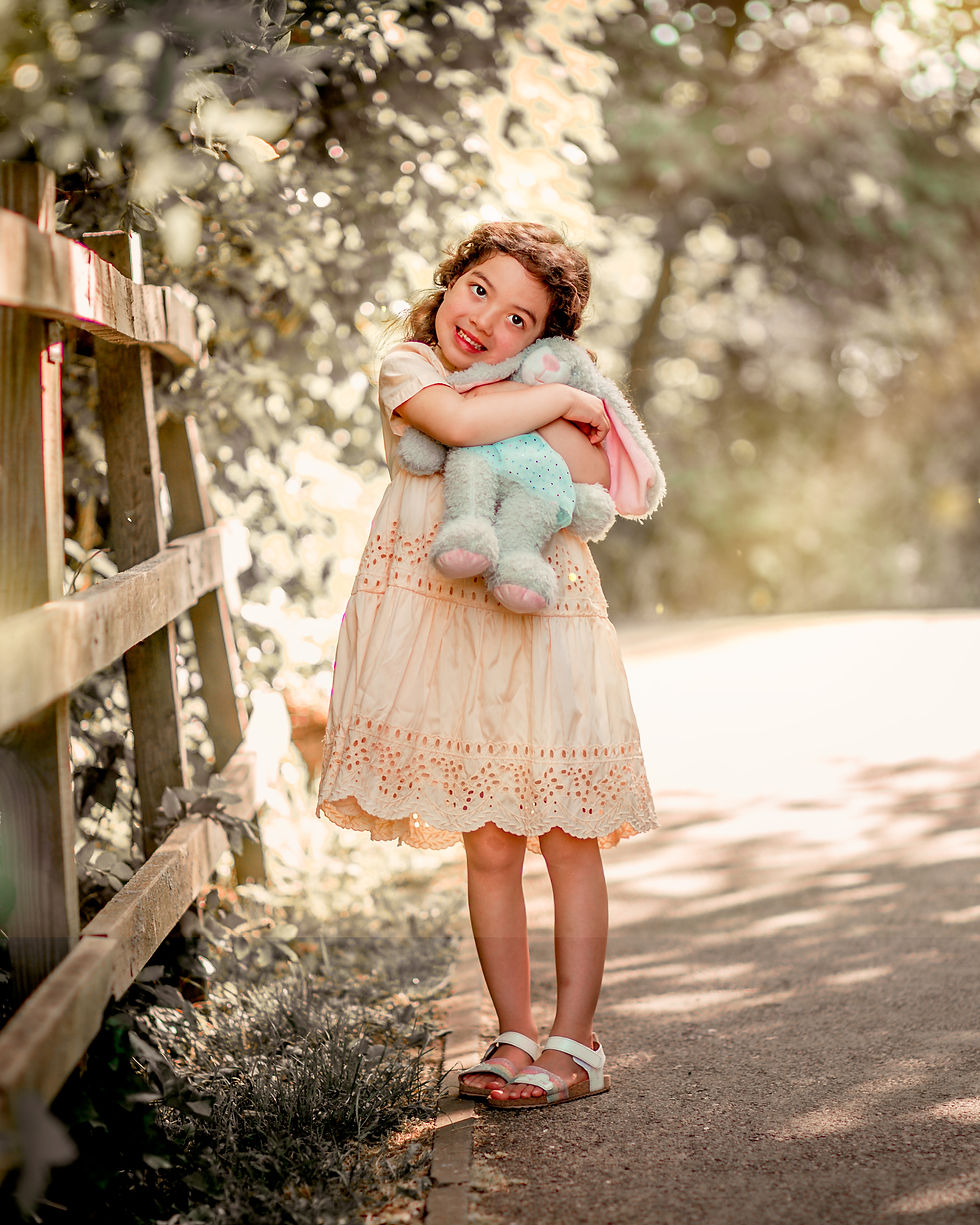
This is a photo of my daughter at our morning walk. For some of you the "before photo" might look better, as we can see all greens and more in the frame. However, I did change certain things as editing is fun! It is creative. And there is no need always stuck to safe option and keep as much as possible at the photo. However, during editing, you need to be careful to not miss a spot, or you will get a mistake as I did on this photo. Look at her legs. There is a line, where I forgot to drug gradient till the bottom edges. Of course, I already fixed it, but this is to show you, that there is no need to rush.
So let's start with basic tools in Lightroom.

Looks like there is a lot of technical languages here. But while playing with settings you will discover what they mean and what they do. For example, I hardly ever touch Exposure slider. I prefer to control light with Highlights, Shadows, Whites and Blacks sliders. Most of the time I pull down all of the Highlights to -100, pull Shadows to +100. I often add some White + and minus some of Blacks, as that creates extra contrast to the photo.
You can see how these little changes brighten a tiny bit photo.
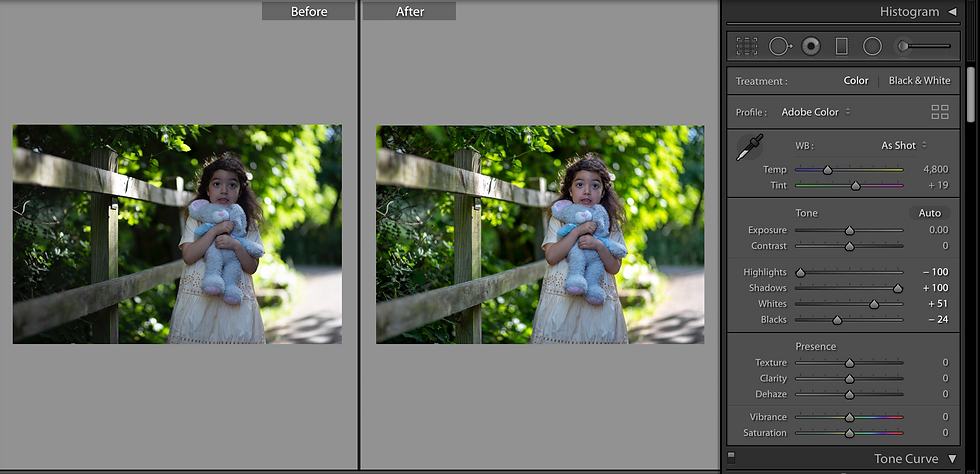
After that, I always add a bit of Texture or Clarity, but you need to be careful with that as it is really easy to overdo it. I always add some Vibrance. In the same part of Lightroom Panel, you can see an option for Profile and it's always at the beginning set as Adobe Colour. However, I highly recommend pressing that 4 little squares in the right corner. It will take you to different profiles. My favourite is Artistic 03, but it is all up to your preferences.

You really should play around these profiles, as it can help to edit your photos easier in the further parts. But about this, I will talk more in the next post, at it will need a bit more detail, or maybe even the movie. For this very moment, go have fun with editing! Maybe you will discover some things which I do not know, and you can give me some tips :)


Comments